
Embedded browser
The embedded browser is located in the workspace on the right and is used to view web page materials, product documents or local service pages on the desktop without switching to an external browser. It serves as a view in the middle workspace, juxtaposed with the chat view, without changing the left project bar and right product bar.
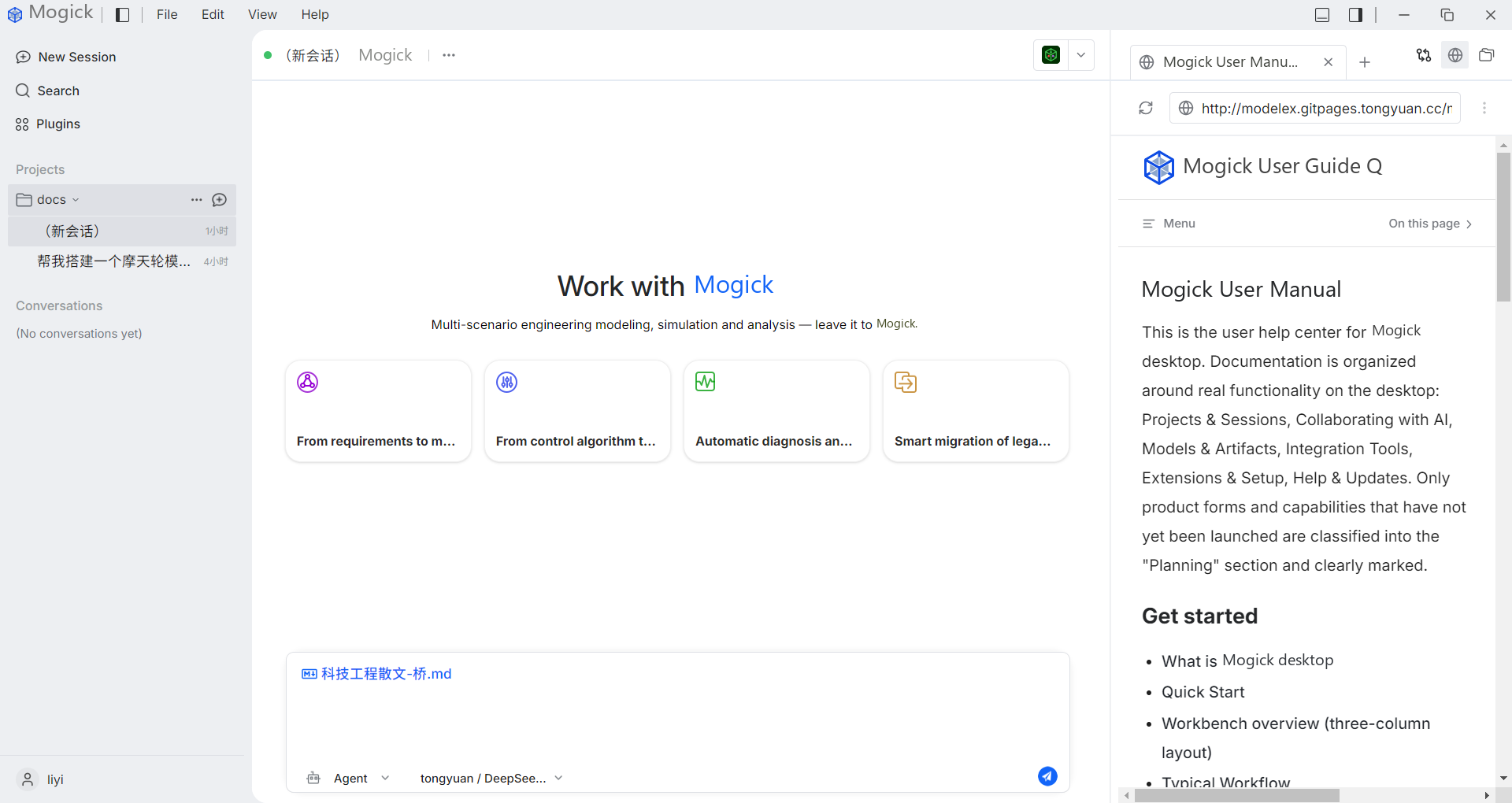
Open browser
Clicking the browser button at the top of the workspace on the right will open the browser workspace and display a "new tab page". Repeatedly clicking the browser button will reuse the opened browser workspace and will not continuously create duplicate workspaces.
Address bar
Enter a URL with an explicit protocol in the address bar and press Enter to navigate. Resolvable protocols such as http / https / ftp / file are supported, for example:
http://example.comhttps://example.comftp://example.com/file.txtfile:///C:/tmp/report.html
The loading status will be displayed during the loading process, and the address bar will retain the normalized final address after completion. The browser will retain the result operation entry in the workspace on the right, such as refreshing the running results and displaying the result directory.
Multiple tabs
Multiple tabs are supported within the browser workspace:
- When a second webpage is opened, or the webpage itself requests to open a new window, a new controlled tab will be added.
- You can switch between tabs and close tabs.
- After closing the current tab, adjacent tabs will be activated; after closing the last tab, the browser will return to an empty browser state, and no remaining pages will cover the chat view.
Loading failed
When the web page fails to load, the interface will switch from the loading state to a readable error state and will not remain loading. You can reload after modifying the address, and the failure of a single tag will not block other tags.
Invalid address
If the entered URL is not a parsable URL, the interface will enter the blocking state and display "Cannot open this address." This state is used to avoid passing invalid input to the browser kernel and to let the user know the reason for the failure.
Safety instructions
The embedded browser does not share the permission domain with the main application: permission requests, downloads and pop-ups initiated by web pages are denied by default, and page views will not be created for addresses that cannot be resolved.