
Review and track changes
In a Git repository, Mogick organizes file changes from the current session into Changesets. Use /changes to inspect what changed, /review to run a read-only review.
Quickly view changes
In the TUI, enter:
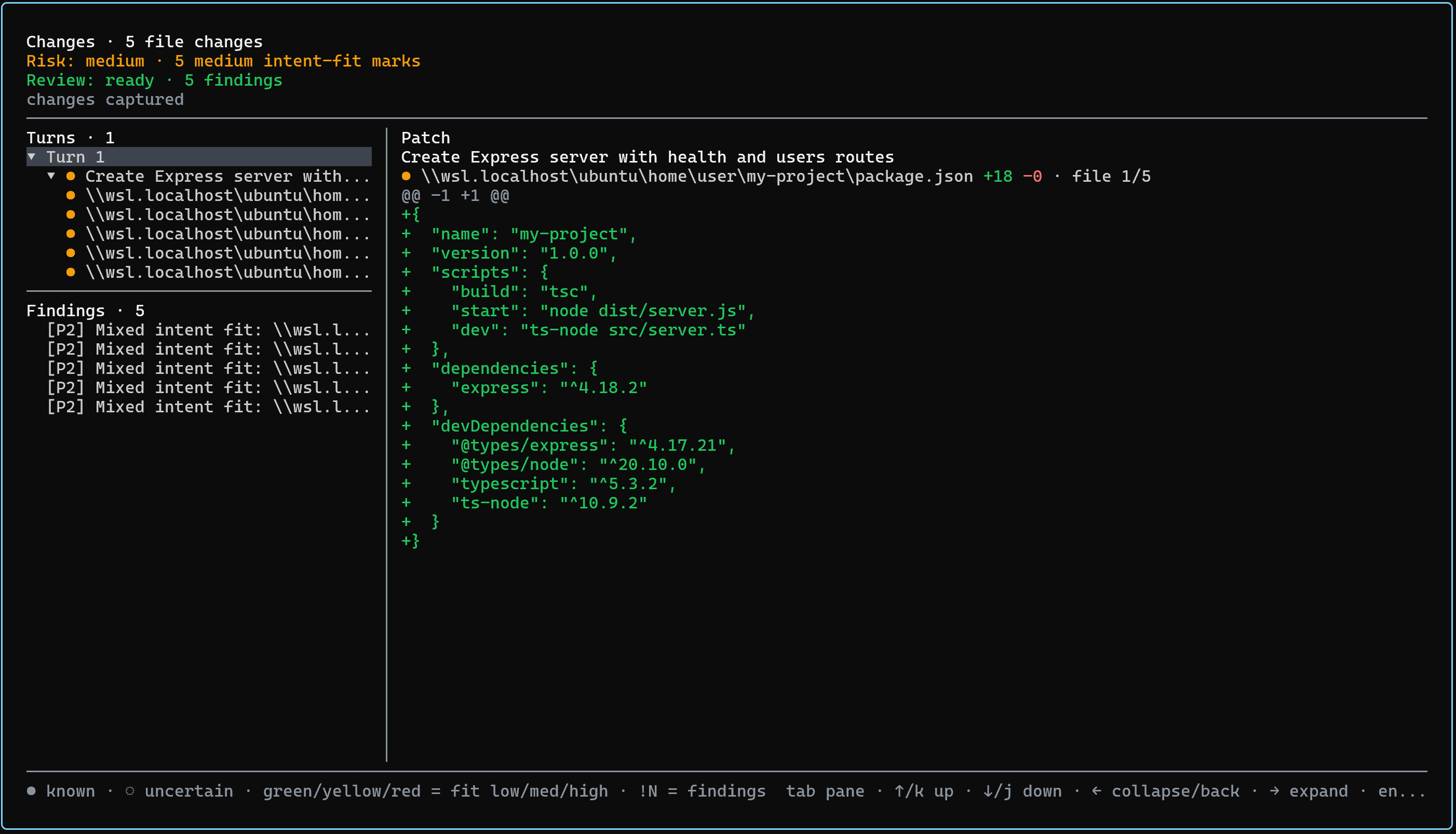
/changesYou can also press Ctrl+G. The Changes panel groups file changes by turn and intent. Select a file to view its patch on the right.

Common operations:
| Operation | Function |
|---|---|
Tab | Switch between main list on the left and details on the right |
s | Switch to a consolidated file list with duplicate paths removed |
i | Return to the turn-and-intent view |
| Select a file | View its patch, including added and removed lines |
The details panel displays changes line by line. Added lines use a green +, removed lines use a red -, unchanged context lines have no prefix, and line numbers restart for each changed region.
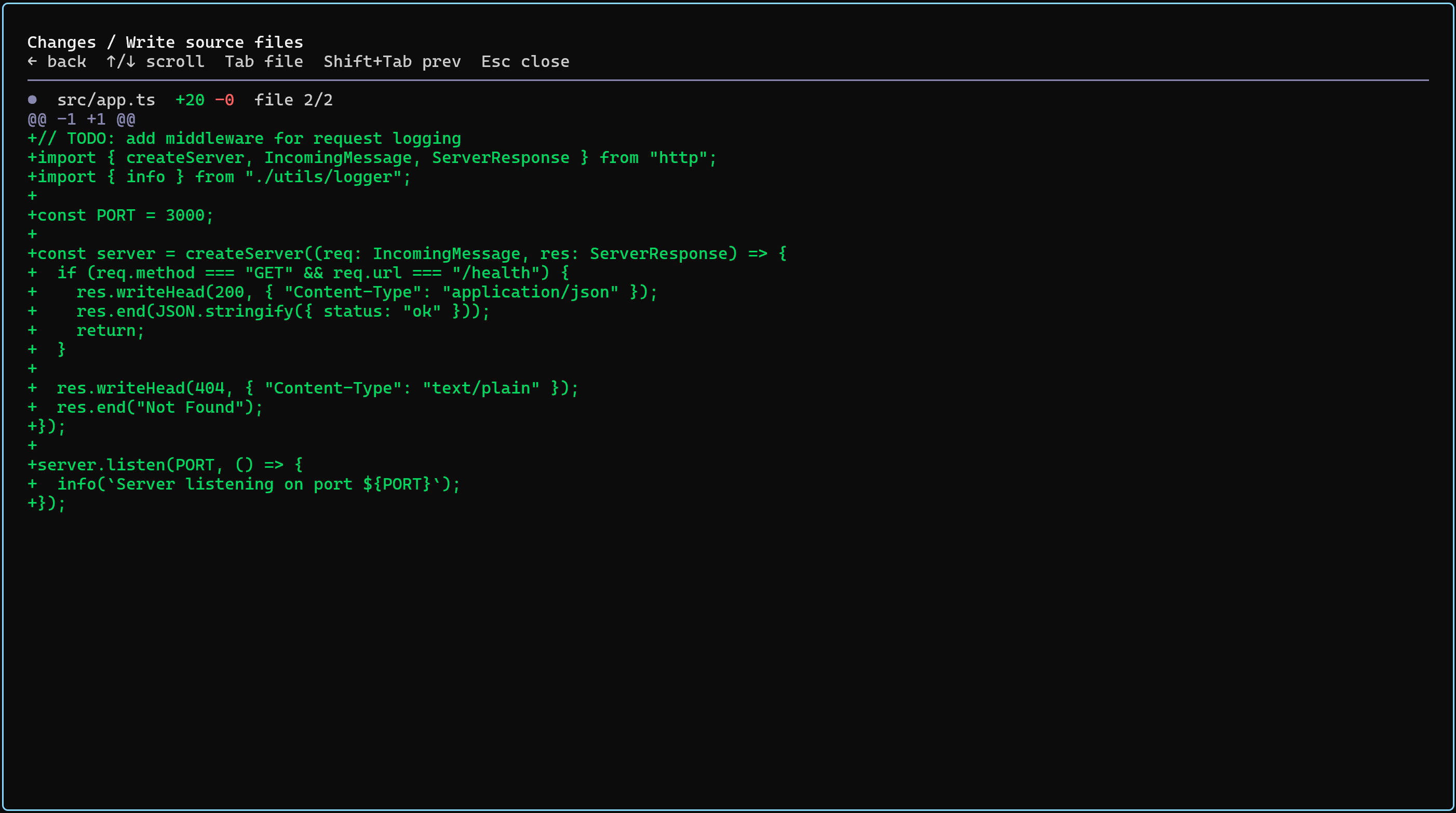
The marker shape and color on each file row indicate intent-matching risk. !N is the number of associated review findings. These signals support review but do not replace inspecting the patch yourself.
Initiate a read-only review
/reviewYou can add points of interest after the command:
/review Focus on error handling and test coverage.While the review runs, the Changes panel shows its status. When it completes, findings appear in the main list. Select a finding to view its priority, confidence, location, and description.
Run /review again after processing the findings. The review agent is read-only and does not automatically modify files.
Evidence and history
Changes uses captured file-change evidence. A non-Git workspace can still have file receipts, but this is not equivalent to Git history or a complete project snapshot. For conversation records, use Session export. 26.9.11 does not expose the former Git-evidence export command.
Limitations and notes
- Changes and Review show only changes attributable to the available evidence. You should still inspect all uncommitted repository changes.
.gitignoreupdates affect panel projections but do not overwrite historical evidence that has been captured.- Do not directly publish export files that contain sensitive source code, paths, or credentials.